CSD Car Purchase Guide 2026: Eligibility, AFD Registration, Documents, Booking, PDI & Selling Your Existing Car
Planning to buy a car through CSD in 2026? This guide explains the CSD car purchase process, including eligibility, AFD registration, required documents, vehicle booking, payment, and pre-delivery inspection (PDI). It also covers important points to consider when selling or exchanging your existing car. Whether you are serving personnel, an ex-serviceman, or an eligible family member, understand the key steps and requirements to make your CSD car purchase smoother and better organized.
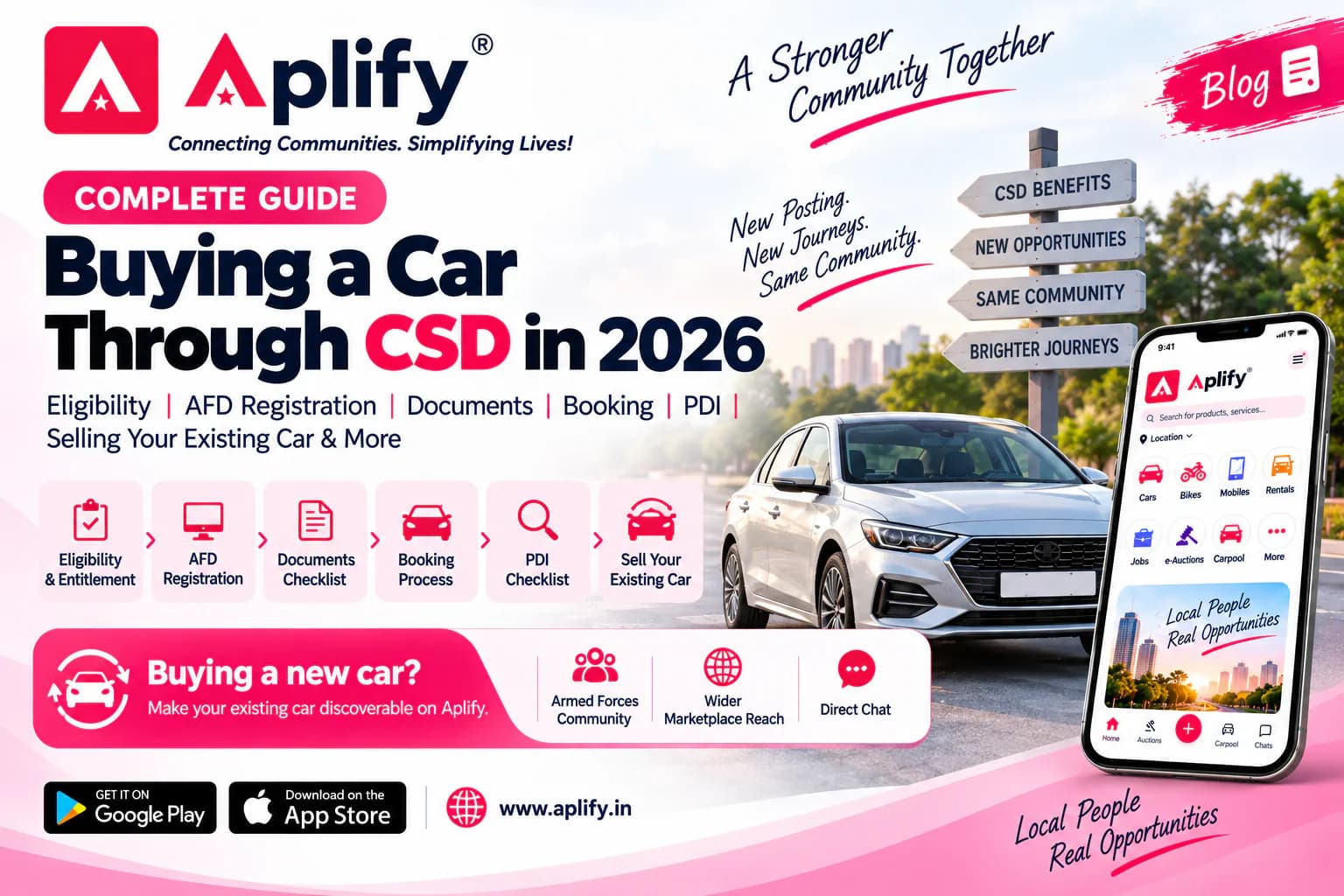
For many serving Armed Forces personnel and veterans, buying a car through the Canteen Stores Department (CSD) is a valuable service benefit. But the real process involves much more than choosing a model. You may need to confirm your current entitlement, register or log in to the AFD portal, check whether the exact variant is available, coordinate with an authorised dealer, prepare documents, generate the demand, complete payment, obtain the Local Supply Order (LS Order), and finally inspect the allocated vehicle before taking delivery.
Then there is another practical question that often arrives at the same time: what should you do with the car you already own?
This guide brings the complete journey together in one place. It is designed to be saved, revisited and shared with a colleague who is planning a CSD car purchase.
Important before you begin
CSD policy, entitlement, portal workflow, vehicle availability, prices and documentation can change. This guide was checked in September 2026. Always verify the live position on the official CSD website and AFD portal before making a payment or financial commitment.
1. What is CSD AFD—and why is the purchase online?
CSD classifies cars, two-wheelers and certain other products as Against Firm Demand (AFD) items. The Government launched the online AFD portal to enable eligible CSD beneficiaries—including serving and retired Armed Forces personnel—to purchase AFD-I items online. Cars are therefore not handled like an ordinary grocery-canteen purchase.
Official portal: afd.csdindia.gov.in | For safety, CSD advises beneficiaries to reach the AFD portal through the official CSD website because fake CSD/AFD websites and unauthorised intermediaries have existed.
CSD Car Purchase Journey at a Glance
Eligibility & Entitlement → AFD Registration/Login → Car & Dealer Selection → Documents → Generate Demand → Approval & Payment → LS Order → PDI → Delivery → Existing Car Keep this sequence in mind throughout the purchase. It separates what to verify before booking, what happens on the AFD portal, and what still needs attention at the dealership.
2. CSD car entitlement in 2026: check this before shortlisting a vehicle
The four-wheeler policy dated 30 November 2023, effective from 1 February 2024, moved the entitlement framework to pay-level-based cost ceilings. The table below is a quick reference. The live AFD portal and current CSD instructions should always prevail for an individual purchase.
| Catwgory | Cost ceiling* | EV ceiling* | Periodicity |
|---|---|---|---|
| Pay Level 3–5 | ₹8 lakh | ₹13 lakh | Four cars in lifetime; first after 5 years of service; 8-year gap between purchases. |
| Pay Level 6–9 | ₹10 lakh | ₹15 lakh | Five cars in lifetime; first after 5 years of service; 8-year gap between purchases. |
| Pay Level 10–18 | ₹20 lakh | ₹25 lakh | Once in 8 years. |
| Eligible Defence Civilians, Pay Level 10–18 | ₹20 lakh | ₹25 lakh | Once in 8 years, subject to applicable policy. |
*Cost ceilings exclude taxes. EV ceiling reflects the additional ₹5 lakh allowance under the policy. Widow/NoK provisions and other conditions should be checked against the current policy/portal.
Do not use an old entitlement chart
Older CSD PDFs still visible online contain superseded rank/engine-capacity rules. Before relying on a forwarded chart, check its date. For a September 2026 purchase, verify the live AFD entitlement shown for your profile.
3. Five-minute readiness check before you register or book
• Confirm your pay level/category, serving or retired status, and whether the required gap from your previous four-wheeler purchase has been completed.
• Decide a realistic total budget—not just the CSD vehicle price. Registration, insurance and other applicable costs still matter.
• Check whether the exact model and variant you want is listed under CSD AFD; civilian-market availability does not automatically mean AFD availability.
• Speak to an authorised CSD dealer and confirm the exact variant, colour preference, likely availability and the documentation they will provide.
• Keep your CSD/identity/service and payment-related documents organised before beginning the online demand.
4. How to register on the official CSD AFD portal
If you are using the AFD portal for the first time, create your beneficiary account before trying to book a vehicle. Registration details should match your official records; avoid casual abbreviations or different spellings of your name.
- Open the official CSD website and proceed to the AFD portal, or directly open the official AFD address after confirming the domain.
- Choose the New User Registration option.
- Enter the beneficiary/service, card and contact details requested on the live form. Fill them exactly as per your records.
- Recheck every field before submission. Incorrect or inconsistent data can lead to verification problems.
- Submit the registration and follow the portal’s verification/approval instructions.
- Once the account is approved, return to the portal and log in with the registered credentials.
Safety tip
Do not pay an agent or share your CSD credentials simply because someone promises to “get the AFD booking done”. CSD’s official site warns beneficiaries about fake portals, agents and middlemen.
5. Already registered? Login, password recovery and account trouble
Existing users can use the login page on the official AFD portal. Enter the credentials and CAPTCHA shown on the live page. If you cannot remember the password, use the password-recovery/forgot-password facility presented on the current portal rather than creating duplicate accounts or relying on an unofficial website.
Because portal screens and account-recovery steps can change, this article deliberately does not hard-code an OTP sequence that may later become outdated. Follow the live instructions shown on the official AFD portal.
Need official AFD assistance? CSD currently lists the AFD Help Desk number as 0120-6933434.
6. Documents to keep ready for a CSD car purchase
The exact document set can vary by beneficiary category and the live portal workflow. Prepare the documents requested by the portal and your concerned CSD/URC. Commonly referenced items in current purchase guidance include:
• PAN card / PAN details.
• Updated CSD Grocery/Smart Card details.
• Dealer availability certificate for the selected four-wheeler, where required in the current process.
• Loan sanction letter, if the purchase is financed through a loan and the portal/process requires it.
• Loan payment receipt/details where applicable; ensure payment references such as UTR and loan-account particulars are correctly reflected when required.
• Serving/retired identity and service-related documents as applicable to your category.
• Any additional document specifically requested by the live AFD portal, URC, CSD authority or applicable state registration process.
Best practice
Create one folder—digital and physical—with your identity/service documents, PAN, CSD card details, dealer quotation/availability certificate, loan papers (if any), payment references and later the LS Order. It prevents the purchase from becoming a hunt for documents at each stage.
7. Shortlist the car the CSD way—not the showroom way
A sensible CSD shortlist starts with entitlement and AFD availability, not with the most attractive showroom variant. First confirm that the exact model/variant fits your entitlement and is available through CSD. Then compare the complete ownership cost.
• Confirm the AFD-listed model/variant and current applicable CSD price.
• Check dealer availability before proceeding too far in the online process.
• Ask for the quotation and availability certificate where applicable.
• Clarify registration/RTO, insurance, accessories, and other dealer-side amounts separately.
• Do not assume that every colour, transmission, or newly launched variant available in the civilian market is immediately available through AFD.
8. CSD AFD online car booking: the practical sequence
The live interface can change, but the purchase journey can be understood in the following order. Treat the portal itself as the final authority for the buttons, fields and documents visible on your account.
Step 1 — Log in — Open your approved AFD beneficiary account.
Step 2 — Find the vehicle — Search for the selected CSD-listed car/model and verify that the displayed option is the one you intend to purchase.
Step 3 — Select purchase details — Choose the available options requested by the portal—such as colour, price zone, dealer, depot, and URC—based on the live workflow.
Step 4 — Review beneficiary details — Check the pre-filled personal details carefully and complete the remaining required fields.
Step 5 — Upload required documents — Upload the documents requested for your case, including PAN/availability/loan-related documents where applicable.
Step 6 — Generate Demand — After checking the entered details and uploads, submit/generate the demand as provided by the portal.
Step 7 — Resolve any discrepancy — If the demand is returned with an observation or discrepancy, correct the issue using the instructions shown in your account rather than creating a fresh transaction blindly.
Step 8 — Approval and payment — Complete payment only through the prescribed process after the demand reaches the appropriate stage. Loan-funded cases can follow a different payment/document flow.
Step 9 — LS Order/authorisation — After the applicable approval and payment process, follow the current instructions for the Local Supply Order and authorisation through the selected URC/CSD channel.
Step 10 — Dealer delivery — Coordinate with the authorised dealer for the allocated vehicle, registration/insurance formalities, PDI and final delivery.
9. What is the LS Order and why does it matter?
The Local Supply Order (LS Order) is part of the authorisation trail that allows the beneficiary to proceed with supply of the approved AFD item through the selected channel/dealer. Do not treat a screenshot of an online payment as a substitute for the documents required by the current CSD/URC process. Check your account for the released documents and carry the originals/records requested by your selected URC.
10. Before delivery: do a proper PDI
The CSD route gives you a purchase benefit; it does not remove the need to inspect the actual car allocated to you. A careful pre-delivery inspection (PDI) is one of the most useful things you can do before accepting the vehicle.
• Vehicle identity: verify the allocated model, variant, colour and relevant VIN/chassis/engine details against the paperwork where applicable.
• Manufacturing information: check the manufacturing month/year where available and relevant to your decision.
• Odometer: note the reading before delivery and ask about anything that appears unusual.
• Exterior: inspect paint, dents, scratches, panel alignment, glass, mirrors and visible transport/storage damage in good light.
• Tyres and wheels: inspect general condition and manufacturing information where visible.
• Interior: check seats, upholstery, dashboard, trim, seat belts and cabin condition.
• Electricals: test lights, indicators, horn, wipers, windows, central locking, and other basic functions.
• Variant features: test AC, infotainment, reverse camera/sensors, and the equipment promised for your exact variant.
• Dashboard: start the car and look for unexpected warning indications.
• Accessories: verify accessories that were agreed with the dealer.
• Documents: check the invoice, insurance, registration-related papers, warranty/manuals, and other documents applicable at delivery.
• Keys: confirm that all keys and items due with the vehicle are handed over.
Save this
Where practical, inspect the allocated vehicle in daylight before final acceptance. Delivery-day excitement is exactly when small scratches, wrong accessories or documentation gaps are easiest to overlook.
11. Seven avoidable mistakes in a CSD car purchase
- Using an unofficial AFD website or paying an unauthorised agent/middleman.
- Relying on an old entitlement chart without checking its date.
- Choosing a civilian-market variant before confirming AFD availability and entitlement.
- Entering registration/account details that do not match official records.
- Making avoidable dealer commitments before understanding the applicable CSD/AFD stage.
- Skipping PDI because the vehicle is being purchased through CSD.
- Assuming that eligibility for a new CSD car automatically means your existing CSD-purchased car can be sold immediately.
12. Buying the new car is only half the upgrade: what about your existing car?
For many Defence families, the old car becomes a second project. You may be upgrading, moving to another station, changing family requirements or simply avoiding the cost of keeping two vehicles.
The traditional route is familiar: mention the car to colleagues, post it in a few WhatsApp groups, ask friends at the station, speak to local dealers and repeat the same details to multiple people. That may work—but it can also limit discovery to the circles you personally know.
If your preference is to first make the vehicle discoverable to fellow Armed Forces community members, the challenge is reach: a potential buyer may be in another unit, another part of the city, a nearby cantonment or even preparing for a posting into your station.
13. Before selling a CSD-purchased car, check the resale restriction
If the existing car was itself purchased through CSD, do not assume that purchasing another vehicle automatically clears the old one for immediate transfer. CSD forms and policies have historically contained minimum non-sale/transfer conditions. Verify the restriction applicable to your specific purchase date and current policy before advertising or transferring the vehicle.
Two separate questions
“Am I entitled to buy my next CSD car?” and “Am I permitted to sell my existing CSD-purchased car now?” are not the same question. Verify both independently.
14. How to make your used-car listing worth a buyer’s time
A Defence background can be relevant context, but it should never be used as a substitute for evidence about the car. A serious buyer—Defence or civilian—still needs clear information.
• Exact model and variant, year and registration details as appropriate.
• Current odometer reading/kilometres driven.
• Ownership information and insurance validity.
• Service and maintenance history; mention records that can be shown.
• Tyre condition and recent major replacements/repairs.
• Known dents, scratches, accidents, repairs, or modifications—be transparent.
• Clear, recent photographs of the actual car: front, rear, both sides, cabin, and dashboard/odometer.
• A realistic expected price based on the vehicle’s condition, age, market, and documentation.
• Never publish sensitive personal identifiers or full document numbers in public listing photographs.
15. Aplify: one listing, community discovery and wider marketplace visibility
This is the point where Aplify can solve a real discovery problem rather than simply advertise an app.
Eligible users can list a used car on Aplify with its actual photos, details, location, and expected price. Armed Forces community membership is associated with the user profile, and users can use the Armed Forces filter to explore listings from community members. At the same time, the marketplace can also make the listing discoverable to relevant civilian users instead of restricting the seller to only the people in a personal Defence circle.
That means a seller does not have to choose between “tell only my colleagues” and “go to the wider market”. The listing can participate in both discovery paths, while interested users can connect through Aplify’s built-in chat.
Important trust note
Aplify does not guarantee a buyer, price, vehicle condition or transaction. Buyers should inspect the car physically, verify ownership/service/insurance and other relevant documents, and satisfy themselves before making any payment.
16. Cantonment and posting-related searches: use location naturally
Defence vehicle searches are often local. A person may search for a used car near a station or cantonment—such as “used cars Delhi Cantt”, “used cars near Secunderabad Cantt”, “defence used cars near me” or “used car from Armed Forces personnel”. For sellers, accurate location information matters more than stuffing a listing with place names. Add the genuine city/locality and complete vehicle details so the listing is useful to both community and civilian buyers.
17. The complete CSD car upgrade checklist
• ☐ Check current CSD entitlement and previous purchase interval.
• ☐ Confirm the exact model/variant is available through AFD.
• ☐ Confirm dealer availability and obtain the required quotation/certificate.
• ☐ Register or log in only through the official AFD portal.
• ☐ Keep documents ready and details consistent with official records.
• ☐ Complete the online demand carefully; resolve observations before proceeding.
• ☐ Follow the prescribed approval/payment/loan process.
• ☐ Obtain/retrieve the applicable LS Order/authorisation through the current process.
• ☐ Coordinate insurance, registration and dealer delivery.
• ☐ Carry out a detailed PDI before final acceptance.
• ☐ Collect keys, invoice, warranty/manuals and other applicable documents.
• ☐ If replacing a car, verify any CSD resale restriction before advertising it.
• ☐ Prepare honest service/history/condition information for the existing car.
• ☐ Take clear, recent photos and set a realistic expected price.
• ☐ If useful, list the existing car on Aplify so it can be discovered by community members and the wider marketplace.
Frequently Asked Questions
What is the official website for CSD AFD car purchase?
The official AFD portal is afd.csdindia.gov.in. CSD advises beneficiaries to access it through the official CSD website and to be cautious of fake portals and unauthorised intermediaries.
Who can buy a car through CSD?
Eligibility depends on the current CSD policy, beneficiary category, pay level, serving/retired status, and previous purchase history. Serving and retired Armed Forces personnel are covered subject to applicable conditions; eligible widow/NoK and Defence-civilian provisions should be checked against the current policy.
What is the CSD car price limit in 2026?
The policy effective from 1 February 2024 provides broad ceilings of ₹8 lakh for Pay Level 3–5, ₹10 lakh for Pay Level 6–9 and ₹20 lakh for Pay Level 10–18, excluding taxes. Eligible EV purchases have an additional ₹5 lakh ceiling. Verify the live AFD entitlement before purchase.
Can ex-servicemen buy a car through CSD?
Yes, subject to the applicable entitlement, periodicity and current CSD conditions.
Do I need to register on the AFD portal?
A beneficiary using the online AFD system needs an approved account. First-time users should use the New User Registration facility on the official portal and enter details exactly as per their records.
What if I forget my AFD password?
Use the password-recovery/forgot-password option presented on the live official portal. Avoid unofficial reset links or agents. If required, use the official AFD Help Desk.
Are all showroom cars and variants available through CSD?
No. Check the exact AFD-listed model/variant and current availability. A civilian-market launch does not automatically mean immediate CSD availability.
What is Generate Demand in CSD AFD booking?
It is the submission stage through which the beneficiary sends the selected AFD purchase request and supporting information for the prescribed verification/approval process. Follow the fields and instructions shown on your live account.
What is an LS Order?
The Local Supply Order forms part of the authorisation trail for supply of the approved AFD item. Follow the current portal/URC instructions for its release, verification and use with the dealer.
Should I do PDI for a CSD car?
Yes. Inspect the actual allocated vehicle before final acceptance. Check identity, body, tyres, interior, electricals, variant features, odometer, documents, accessories and keys.
Can I sell my old car while buying a new CSD car?
Potentially, but if the existing car was purchased through CSD, first verify the resale/transfer restriction applicable to that vehicle and purchase date.
Can Armed Forces personnel list a used car on Aplify?
Yes. Aplify supports used-car listings. Armed Forces community membership is linked to the user profile, and users can use the Armed Forces filter to explore community-member listings.
Will a Defence-owned car automatically be more reliable?
No. Profession or ownership background does not prove condition. Buyers should judge the actual car using service history, maintenance records, kilometres driven, documentation, physical inspection and transparent condition disclosure.
Can civilians discover a used car listed by an Armed Forces user on Aplify?
Aplify is a broader marketplace as well as a community-enabled platform, so a listing can be discoverable beyond the seller’s immediate Defence circle, subject to the app’s current discovery/filter settings.
A useful benefit works best with a prepared process
Buying a car through CSD can be a valuable benefit, but a smooth experience comes from preparation: verify entitlement, use only the official AFD route, keep documents ready, confirm the exact vehicle with the dealer, follow the demand and payment stages carefully, and never let delivery-day excitement replace a proper PDI. And if the new car is replacing an existing one, plan that transition early. Check whether the old car can legally be transferred, organise its service and ownership information, photograph it honestly, and make it discoverable to the right buyers.
Aplify — Connecting Communities. Simplifying Lives!
Explore Aplify
If the new CSD car is replacing an existing vehicle, you can list the old car on Aplify and make it discoverable to Armed Forces community members as well as users in the wider marketplace.
Android: Download Aplify on Google Play
iPhone/iPad: Download Aplify on the App Store
Website: www.aplify.in
Disclaimer
Aplify is an independent private platform and is not affiliated with, endorsed by, or representative of CSD, the Ministry of Defence, Kendriya Sainik Board, the Indian Armed Forces, or any Government entity. This article is for general informational purposes and was reviewed in September 2026. CSD entitlement, prices, vehicle availability, documentation, portal workflow, and resale/transfer conditions may change. Readers should verify the current position through the official CSD website/AFD portal and concerned authorities before acting or making any payment.