Buying and selling used items online has become easier than ever, and Aplify is one of the fastest-growing local marketplace apps in India. Whether you want to sell a used mobile, rent a house, or list any local service, learning how to post an ad on Aplify is the first step to reaching genuine buyers near you.
This beginner-friendly guide explains how to post an ad on the Aplify app step by step, along with tips to get faster responses and better visibility.
What Is Aplify?
Aplify is a commission-free local marketplace that allows users to buy, sell, and rent items nearby without middlemen. The platform connects buyers and sellers directly, making transactions simple, transparent, and quick.
You can access Aplify through:
- 🌐 Website: https://aplify.in/
- 📱 Android App: https://play.google.com/store/apps/details?id=com.aplify.apnaclub
- 🍎 iOS App: https://apps.apple.com/in/app/aplify-buy-sell-used-near-you/id1610389827
Why Use Aplify to Post Ads?
Before learning how to post an ad on Aplify, here’s why thousands of users prefer it:
- ✅ No commission or hidden charges
- 📍 Local buyers and sellers
- 🔐 Verified user profiles
- 📱 Easy-to-use mobile app
- 🚀 Fast ad approval
How to Post an Ad on Aplify: Step-by-Step Guide
Follow this Aplify app ad posting guide to list your product or service successfully.
Step 1: Download and Install the Aplify App
Start by installing the Aplify app:
- Android users can download it from the Google Play Store
- iPhone users can install it from the Apple App Store
You can also browse listings on the official website.
Step 2: Sign Up or Log In
To post an ad on the Aplify app, you need an account.
- Sign up using your mobile number or email
- Verify with OTP
- Complete your basic profile
A verified profile increases trust and improves response rates.
Step 3: Click on “Post Ad”
Once logged in:
- Tap the “Post Ad” or “Sell” button on the home screen
- This is where your ad creation journey begins
This step is crucial when learning how to post an ad on Aplify for the first time.
Step 4: Choose the Right Category
Select the most relevant category for your item, such as:
- Mobiles & Electronics
- Real Estate
- Vehicles
- Furniture
- Services
Choosing the correct category ensures your ad reaches the right audience.
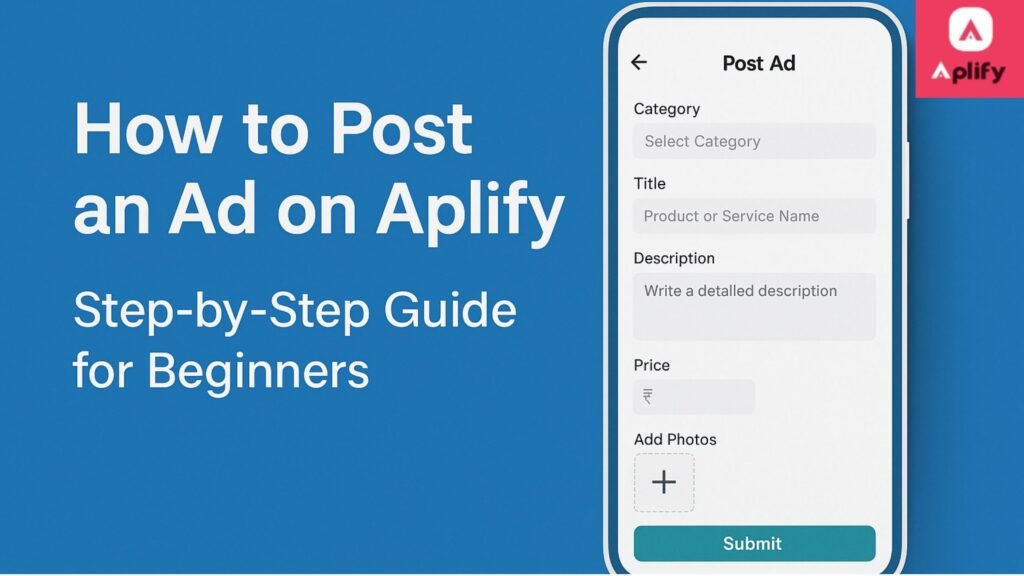
Step 5: Add Product or Service Details
Now, enter accurate information:
- Title (clear and descriptive)
- Description (include condition, usage, and features)
- Price (fair pricing attracts more buyers)
- Location (helps local discovery)
Using clear details improves visibility when users search to post ad on Aplify app-related listings.
Step 6: Upload High-Quality Photos
Photos play a major role in ad performance:
- Upload real images of the item
- Use good lighting
- Add multiple angles
Ads with photos receive significantly more views and inquiries.
Step 7: Review and Submit Your Ad
Before publishing:
- Double-check details
- Ensure no spelling errors
- Confirm category and price
Tap Submit, and your ad will be reviewed. Most ads go live quickly.
Tips to Get More Responses on Aplify
If you want better results after learning how to post an ad on Aplify, follow these tips:
- 🔑 Use keywords naturally in the title and description
- 💰 Price competitively
- 📸 Upload clear images
- ⏱ Respond quickly to messages
- 📍 Keep location accurate
These best practices complete your Aplify app ad posting guide.
Common Mistakes to Avoid While Posting an Ad
Avoid these mistakes when you post an ad on Aplify app:
- Choosing the wrong category
- Posting incomplete descriptions
- Uploading low-quality images
- Overpricing items
- Ignoring buyer messages
Call to Action (CTA)
🚀 Ready to sell or rent your items?
Start today by downloading the Aplify app and experience hassle-free buying and selling near you.
👉 Post your ad now on Aplify
- Website: https://aplify.in/
- Android: https://play.google.com/store/apps/details?id=com.aplify.apnaclub
- iOS: https://apps.apple.com/in/app/aplify-buy-sell-used-near-you/id1610389827
Frequently Asked Questions (FAQ)
- Is it free to post an ad on Aplify?
Yes, Aplify allows users to post ads without any commission or listing fee.
- How long does it take for an ad to go live?
Most ads are approved and visible within a short time after submission.
- Can I edit or delete my ad later?
Yes, you can easily edit or delete your ad from your account dashboard.
- What items can I sell on Aplify?
You can sell used items, rent properties, list services, and more—based on allowed categories.
- Is Aplify safe for buyers and sellers?
Yes, Aplify promotes safe transactions with verified profiles and direct communication.
Final Thoughts
Now that you know how to post an ad on Aplify, you can confidently start listing your items. By following this Aplify app ad posting guide, beginners can easily connect with local buyers and sell faster without middlemen.
Posting an ad on Aplify is simple, quick, and completely user-friendly—perfect for anyone looking to buy or sell locally.