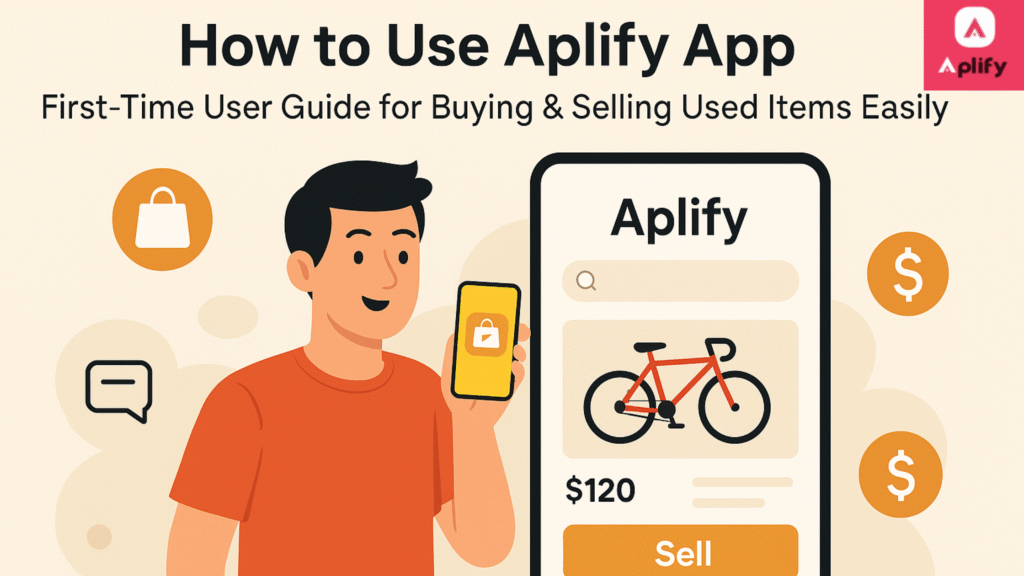
A simple, beginner-friendly guide to help you buy and sell used items smoothly on Aplify — India’s trusted local marketplace.
Buying and selling used items has become a part of everyday life. Whether you want to clear space at home, find affordable products, or earn quick money by selling things you no longer use, having a simple and trustworthy app makes all the difference.
That’s where Aplify steps in — a clean, fast, and community-driven platform designed to help you buy and sell used items locally without complications.
If you’re using Aplify for the first time, this friendly guide will help you understand the app in minutes. From exploring listings to chatting with buyers, posting your first ad, and staying safe, you’ll learn everything step-by-step.
1. What Is Aplify and Why Should You Use It for Buying & Selling Used Items?
Aplify is a modern local marketplace app that connects buyers and sellers within the same city. It helps people buy and sell second-hand items such as:
Mobiles & electronics
Furniture & home appliances
Vehicles & bikes
Real estate, rentals, jobs
And even carpool and e-auctions
What makes Aplify different from platforms like OLX or Quikr?
✔ Unlimited Free Ads (Introductory Offer)
Post as many used items as you want — completely free.
✔ Trusted KYC System for All Users
Verification ensures safer interactions with genuine profiles.
✔ Defence Community Advantage
Defence users receive lifetime free listings, and the app supports community-based interactions.
✔ Cleaner, Faster & Easier Interface
No clutter. No lag. No unnecessary ads.
If your goal is to buy or sell used items quickly and safely, Aplify gives you exactly what you need.
2. How to Install & Set Up the Aplify App
Step 1: Download the App
Aplify is available on both:
Simply search for “Aplify – Buy & Sell Used Near You.”
Step 2: Create Your Account
Sign up using a mobile number or email.
A quick OTP completes your registration.
Step 3: Choose Your Community
Select your category:
Armed Forces, or
Others
Both enjoy full access to all app features.
Step 4: Enable Location
This helps you see nearby listings and connect with local buyers and sellers quickly.
3. Explore Listings & Discover Great Deals on Used Items
The homepage offers:
Fresh listings
Categories
Nearby items
Verified users
Trending products
Buyer Tips
Use filters for brand, price, and condition
Prefer listings with multiple clear photos
Compare prices of similar used items
Check seller ratings and KYC badges
4. How to Buy Used Items on Aplify — Step-by-Step
Step 1: Select a Product
View photos, description, location, and seller details.
Step 2: Chat with the Seller
In-app chat allows you to:
Ask questions
Request more pictures
Negotiate politely
Confirm availability
Your phone number remains private.
Step 3: Choose Pickup or Delivery
You may:
Meet in a public place
Pick up from the seller
Request delivery (if available)
Step 4: Complete the Deal
Check the product properly before payment.
5. How to Sell Used Items on Aplify — Simple Guide
Step 1: Tap “Sell”
Available on the homepage.
Step 2: Upload Photos
Clear images = more visibility.
Step 3: Add Title & Description
Mention usage, condition, features, and any defects honestly.
Step 4: Set a Fair Price
Check other listings for reference.
Step 5: Publish
Your ad becomes visible to thousands of buyers instantly.
6. Safety Tips for a Smooth Marketplace Experience
Meet in public locations
Inspect items before paying
Avoid sharing personal details
Check seller verification
Use in-app chat only
Trust your instincts
7. Tips to Get Better Results on Aplify
Upload high-quality images
Respond quickly to chats
Post ads in the evenings or on weekends
Refresh listings regularly
Choose accurate categories
Keep your location updated
8. Why First-Time Users Love Aplify
Users appreciate Aplify for:
Simple user-friendly interface
Quick buyer responses
Better trust due to verification
Unlimited free listings
Clean and fast design
Aplify is built to give users a smooth, safe, and friendly marketplace experience.
⭐ Frequently Asked Questions (FAQs)
(Boosts SEO performance & Featured Snippet chances)
1. How do I post an ad for used items on Aplify?
Tap the Sell button → Upload photos → Add title, description & price → Publish.
Your ad goes live instantly.
2. Is Aplify safe for buying and selling used items?
Yes. Aplify uses KYC verification, in-app chat, and community-based filtering to ensure safer interactions.
3. Does Aplify charge any listing fees?
No. Aplify currently offers unlimited free ads for all users (introductory offer).
Defence users get lifetime free listings.
4. How do I chat with buyers or sellers?
Each listing has a Chat option that lets you communicate securely without revealing your phone number.
5. How do I get more visibility for my listings on Aplify?
Use clear images, set a fair price, choose the right category, and refresh your listing every few days.
⭐ Final Thoughts
Buying and selling used items shouldn’t feel complicated — and Aplify ensures that it doesn’t. With its intuitive design, strong verification system, community focus, and unlimited free listings, Aplify is one of the easiest ways to discover great deals or sell unused items quickly.
Start using Aplify today and enjoy a marketplace experience designed for simplicity, trust, and real connections.