
Used Mobile Buying Guide: How to Avoid Scams
Buying a used mobile can save money, but careful verification is essential. This guide explains how to safely buy second hand mobiles, including checking the phone’s condition, battery, IMEI, ownership, account locks, connectivity, and overall market price. Learn practical tips to identify suspicious deals, protect your payment information, and avoid scams. If you plan to buy used mobile Vijayawada, follow these simple checks to make a safer and more confident purchase.
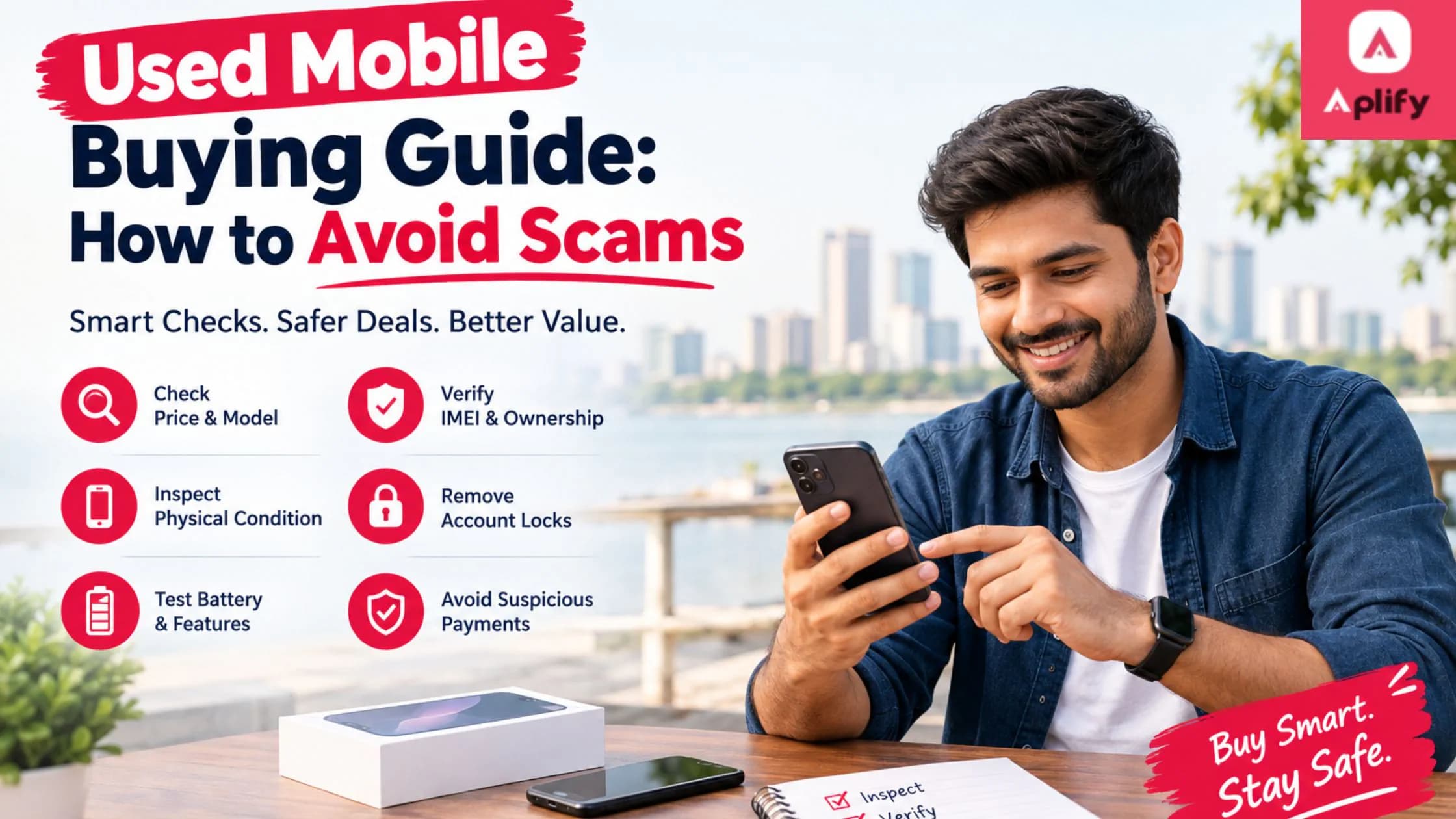
Buying a used smartphone can be a smart way to get a good device at a lower price. If you are planning to buy used mobile Vijayawada, however, it is important to check the phone carefully before making a payment. A proper used phone guide can help buyers identify damaged devices, verify ownership, compare prices, and avoid scams. Whether you are looking for second hand mobiles for everyday use, work, study, or entertainment, a few simple checks can protect your money and help you make a confident purchase.
Why Buy a Used Mobile Phone?
New smartphones can be expensive, especially when you want a premium model with better cameras, storage, performance, and display quality. Used phones can provide many of the same features at a more affordable price.
Buying a pre-owned phone may be suitable if you:
- Want a premium smartphone within a limited budget
- Need a temporary or secondary phone
- Want to upgrade without spending the full price of a new device
- Are looking for a phone for students or family members
- Prefer value for money when purchasing electronics
However, affordability should not mean compromising on safety. Buyers should inspect the device and seller before completing a transaction.
1. Research the Mobile Model Before Buying
The first step in any used phone guide is research. Before contacting a seller, find out the current price of the same model in the new and used markets.
Check:
- Original launch price
- Current new-phone price
- Typical second-hand price
- Storage and RAM
- Processor and performance
- Camera specifications
- Battery capacity
- Software update support
- Availability of spare parts
Understanding the market price makes it easier to identify unrealistic offers. If a phone is being offered at a price that seems too good to be true, investigate carefully before proceeding.
2. Check the Phone's Physical Condition
Never buy second hand mobiles based only on photographs. If possible, inspect the phone personally.
Look carefully for:
- Cracks on the screen
- Scratches or dents on the body
- Damaged camera lenses
- Loose buttons
- Charging-port damage
- Signs of water exposure
- Gaps between the display and frame
- Unusual heating
A phone that looks good from a distance may have hidden physical damage. Pay particular attention to the corners and frame because significant drops can cause internal problems even when the screen appears normal.
3. Test the Display and Touchscreen
The display is one of the most expensive components to replace. Open different apps and test the entire touchscreen.
Check whether:
- Every area of the screen responds to touch
- Brightness works properly
- There are dead pixels
- The display has unusual lines or spots
- Colours appear normal
- The screen flickers
- The phone has excessive screen burn-in
If the phone has an OLED or AMOLED display, carefully inspect it against a plain background to identify potential display issues.
4. Check the Battery Health
Battery condition is especially important when buying used smartphones. A phone may look almost new but have a significantly degraded battery.
Ask the seller about the battery's age and performance. Test the phone during normal use and observe whether the battery percentage drops unusually quickly.
Also check whether the device becomes excessively hot while charging or performing basic tasks.
A battery replacement may be manageable for some models, but it should be considered when calculating the total cost of the purchase.
5. Test the Camera, Speaker and Microphone
Do not assume every feature works just because the phone switches on.
Test the:
- Front camera
- Rear camera
- Flash
- Video recording
- Speaker
- Microphone
- Earpiece
- Vibration motor
Make a short video and play it back with sound. You can also make a test call to confirm that the microphone and earpiece work correctly.
These simple checks can help you avoid scams involving phones with damaged components.
6. Verify the IMEI Number
The IMEI number is an important part of checking a used phone. Compare the IMEI shown on the phone with the number displayed on its original packaging, if available.
You can usually find the IMEI through the phone's settings or by using the device's standard IMEI-checking method.
The details should be consistent. If the IMEI appears altered, missing, or different from the available documentation, be cautious.
Buyers should also make sure the phone is not reported as lost or stolen and that there are no ownership issues.
7. Check for Google, Apple or Other Account Locks
Account locks can create serious problems after buying a used phone.
For Android devices, make sure the previous owner's Google account has been properly removed and that the device can be reset and activated normally.
For iPhones, confirm that the previous owner's Apple account and Activation Lock have been removed.
Never accept a phone where the seller says they will remove the account later. The device should be ready for the new owner before payment is completed.
8. Check Charging and Connectivity
Connect the phone to a compatible charger and confirm that it charges correctly.
Also test:
- Wi-Fi
- Bluetooth
- Mobile network
- SIM functionality
- GPS
- NFC, if available
- Fingerprint sensor
- Face unlock
For a phone intended for regular communication, verify that it can recognize a SIM card and connect to the appropriate mobile network.
9. Ask for Proof of Purchase
Whenever possible, request the original purchase bill or invoice. This can help establish when and where the phone was purchased.
Also ask whether the phone is:
- Still under warranty
- Repaired previously
- Refurbished
- Purchased from another country
- Used with a replacement display or battery
Honest sellers should be willing to provide reasonable information about the device's history.
10. Be Careful With Advance Payments
One of the most important ways to avoid scams is to be cautious about payment requests.
Be particularly careful if a seller:
- Demands full payment before showing the phone
- Creates unnecessary urgency
- Refuses to provide basic details
- Sends suspicious payment links
- Offers an unusually large discount
- Claims several buyers are waiting and asks you to pay immediately
Never share OTPs, banking passwords, UPI PINs, or other confidential financial information with a seller.
If possible, inspect and verify the device before making the final payment.
11. Meet Safely When Buying Locally
If you are planning to buy used mobile Vijayawada, choose a safe public location for an in-person transaction.
Meet during daylight hours and, where possible, take someone with you. Avoid handing over money until you have inspected the phone and confirmed that it works properly.
A public location also gives you an opportunity to test the device without unnecessary pressure.
Buy and Sell Used Mobiles Through Aplify
Buyers looking for local listings can explore Aplify, an online platform designed to help people discover buying and selling opportunities across different categories.
Visit the Aplify website to explore available listings and categories.
For Android users, the Aplify app on Google Play provides another way to access the platform.
iPhone and iPad users can also find Aplify on the Apple App Store.
Remember that using a marketplace does not replace your own checks. Always verify the phone, seller, ownership information, and payment details before completing a transaction.
Used Phone Buying Checklist
Before purchasing second hand mobiles, use this quick checklist:
- Research the model's market price
- Inspect the body and screen
- Test the touchscreen
- Check battery condition
- Test cameras and flash
- Test speaker and microphone
- Check the IMEI
- Confirm account locks are removed
- Test SIM and network connectivity
- Test Wi-Fi and Bluetooth
- Ask for the purchase invoice
- Check warranty status
- Avoid suspicious advance-payment requests
- Meet in a safe location
- Test the device before making final payment
Frequently Asked Questions
1. What should I check before buying a used mobile?
Check the phone's physical condition, display, battery, cameras, speakers, microphone, charging port, IMEI, network connectivity, and account-lock status. Also ask for proof of purchase when available.
2. How can I avoid scams when buying a second-hand phone?
Research the market price, inspect the phone personally, verify the IMEI and ownership information, avoid suspicious advance payments, and never share OTPs or banking credentials.
3. Is buying a used mobile worth it?
Yes. A used smartphone can offer good value when the device is in good condition, reasonably priced, and free from ownership or technical issues.
4. Should I check the IMEI before buying?
Yes. Checking the IMEI is an important part of verifying a used phone. Compare the available IMEI information and investigate any inconsistencies before purchasing.
5. What documents should I ask for?
Ask for the original purchase invoice or bill when available. You can also ask about warranty details, previous repairs, and whether major components have been replaced.
6. Where can I look for used mobiles in Vijayawada?
You can explore local listings and buying opportunities through platforms such as Aplify. However, always independently inspect and verify a device before completing a purchase.
Conclusion
Buying a used smartphone can be a practical way to save money, but the right checks are essential. From researching prices and inspecting the screen to verifying the IMEI, account status, battery, and ownership documents, every step can reduce the risk of purchasing a problematic device.
If you plan to buy used mobile Vijayawada, take your time, compare listings, ask questions, and never allow a seller to pressure you into making a quick payment. Use this used phone guide as a checklist whenever you consider second hand mobiles, and stay alert to warning signs to avoid scams.
For local buying and selling opportunities, explore Aplify and check the Aplify mobile apps on Google Play or the Apple App Store. Browse carefully, verify before you buy, and make your next used-mobile purchase with confidence.